




Grid printer test page
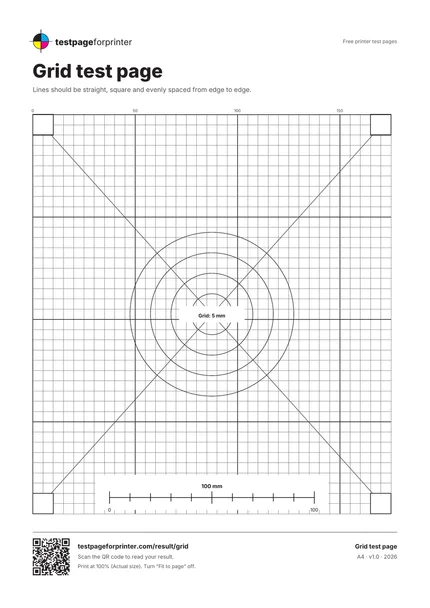
A free grid test page with a 5 mm grid, diagonals and circles, so you can see whether lines print straight, square and evenly spaced from edge to edge.
Opens the PDF. Use Print or Share from there.
Download PDFPrint one copy first. This PDF does not measure ink or toner use.
Free PDF. No sign-up. Ready to print.
In the print dialog, choose Actual size or 100% and turn off Fit to page.In the print screen, choose Actual size or 100% (not Fit).

What each part checks
A 5 mm grid
Fine lines every 5 mm, stronger every 10 mm and 50 mm, numbered along the top. Gaps and uneven spacing show feed problems.
Two diagonals
Straight lines from corner to corner. Wavy or stepped diagonals show uneven paper feed.
Concentric circles
Four circles around the center. Squashed circles mean the page is stretched in one direction.
Four 10 mm corner squares
Each should measure 10 by 10 mm and look square.
A 100 mm scale bar
Measure it with a ruler to confirm the page printed at actual size.
Numbered axes
Numbers along the top edge help you point to where a problem starts.
How to read your print
- Straight lines.
- Every grid line should be straight. Bent or wavy lines point to an uneven paper feed.
- Even spacing.
- The squares should all be the same size. Squares that get taller or shorter down the page suggest a feed roller problem.
- Round circles.
- The four circles should be round. Ovals mean one axis is stretched.
- Square corners.
- The four corner squares should have right angles and measure 10 mm.
Keep the guide handy
The QR code on the printed sheet opens this page on your phone.
Print settings that matter
Print settings that matter
- Print at actual size (100%)Choose Actual size or 100% and turn off Fit to page, or the grid will be scaled and the numbers will be wrong.
- Use plain, flat paperCurled or damp paper feeds unevenly and can bend lines. Use fresh paper from a sealed pack.
- Print at standard qualityHigh quality on some printers slows the feed and can reveal or hide banding. Standard is the baseline.
Related sheets

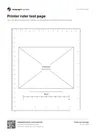
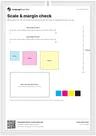
Read the full guide
What this grid printer test page is
This is a geometry sheet. It prints a 5 mm grid across the page, two diagonals, four circles and four corner squares. It tells you whether the printer lays lines straight, keeps them evenly spaced and holds the shape of the page from one side to the other.
When to use it
Use it when text lines look slightly slanted, when tables and forms do not line up, when an engineering drawing, a template or a pattern must keep its proportions, or when you suspect the paper feed. It complements the alignment and margins page, which concentrates on margins and clipping.
What good looks like
Every line is straight and every square is the same size. The diagonals run cleanly from corner to corner. The circles are round and the four corner squares are square.
Measure the 100 mm scale bar before judging the grid spacing. If it is short, follow the fixes for a printer printing too small and repeat the test at actual size.
What bad looks like
Lines that bend, drift or break show an uneven feed or a worn roller. A grid that gets wider or narrower from top to bottom suggests the paper skewed in the path. Ovals mean one axis is stretched. See misaligned print and banding. For exact measurement, use the printer ruler page.
Good questions
What does a grid test page show?
Why are my grid lines wavy?
Why are the circles oval?
How is this different from the alignment page?
Can I use it to check a laser printer?
Also useful
- Fix misaligned print
- Fix banding
- Scale check tool
- All PDF downloads
- Printer test images (PNG)
- Color test page
- Black & white test page
- CMYK test page
- Nozzle check
- Blank page test
- Photo test page
- Duplex front/back test
- Grayscale test page
- Ink saver test page
- Borderless test page
- Text clarity test page
- Resolution test page
- Solid black test page