






Printer ruler test page
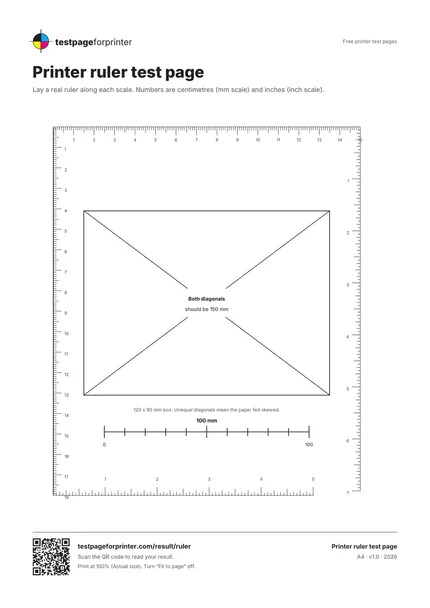
A free printer ruler test page with millimeter and inch scales and a diagonal check, so you can measure whether your printer prints at true size and feeds straight.
Opens the PDF. Use Print or Share from there.
Download PDFPrint one copy first. This PDF does not measure ink or toner use.
Free PDF. No sign-up. Ready to print.
In the print dialog, choose Actual size or 100% and turn off Fit to page.In the print screen, choose Actual size or 100% (not Fit).

What each part checks
A millimeter ruler on the top and left
Ticks every 1 mm, longer at 5 mm and 10 mm, numbered in centimeters.
An inch ruler on the bottom and right
Ticks every 1/16 inch, numbered in inches. Lay a real ruler along it and compare.
A 120 x 90 mm box with both diagonals
Both diagonals are exactly 150 mm. If they measure differently, the paper fed skewed.
Clear instructions
A short line under the box says what to measure and what a result means.
Corner-to-corner coverage
The two rulers cover most of the page, so scaling errors add up and become easy to see.
QR code and footer
Scan the code on the sheet to read your result.
How to read your print
- Ruler lengths match.
- A real ruler laid along the printed ruler should line up at the far end. A gap of 1 mm over 150 mm is about 0.7%.
- Both scales agree.
- The mm ruler and the inch ruler should both be correct. If one is right and one is wrong, the printer scaled one axis only.
- Equal diagonals.
- If the two diagonals differ by more than 1 or 2 mm, the paper was skewed in the feed.
- Short everywhere.
- If every measurement is about 5% short, Fit to page or a wrong paper size is shrinking the print.
Keep the guide handy
The QR code on the printed sheet opens this page on your phone.
Print settings that matter
Print settings that matter
- Print at actual size (100%)Choose Actual size or 100% and turn off Fit to page and Shrink to fit. This test only works at true size.
- Match the paper sizePick the same paper size in the driver as the paper in the tray. Letter and A4 are slightly different.
- Measure with a good rulerUse a metal or plastic ruler with clear marks. A flexible tape or a worn wooden ruler adds its own error.
Related sheets
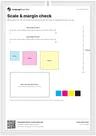

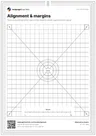
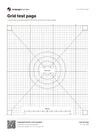
Read the full guide
What this printer ruler test page is
This is a measurement sheet. It has a millimeter ruler on two edges, an inch ruler on the other two, and a 120 by 90 mm box with both diagonals drawn. After you print it at 100%, hold a real ruler against the printed scales and measure the diagonals. Any difference shows how your printer scales, shrinks or skews the page.
When to use it
Use it when prints come out smaller than expected, when a design for a specific size, such as a label, a sewing pattern or a model, must match its real size, or when you suspect the paper is feeding at an angle. It is more demanding than the quick check on the scale check sheet, because it spans the page.
How to use it
Print at Actual size. Lay a ruler along the top scale and look at the far end. Repeat for the left scale. Then measure the two diagonals of the box; both should be 150 mm. Write down what you find, then change one setting and print again.
What the result means
If everything is short by the same amount, the page was scaled, usually by Fit to page; see prints too small. If only one direction is off, the feed or the software is stretching one axis. If the diagonals differ, the paper fed skewed; reload the paper and straighten the guides. For margins, use the alignment page.
Good questions
How accurate is a printed ruler?
Why is my printed ruler shorter than a real ruler?
Why are the two diagonals different?
Do I need the inch ruler if I use millimeters?
Can I print it on any paper size?
Also useful
- Fix prints too small
- Scale check tool
- A4 vs Letter
- All PDF downloads
- Color test page
- Black & white test page
- CMYK test page
- Nozzle check
- Blank page test
- Photo test page
- Duplex front/back test
- Grayscale test page
- Ink saver test page
- Borderless test page
- Text clarity test page
- Resolution test page
- Solid black test page