




Text clarity printer test page
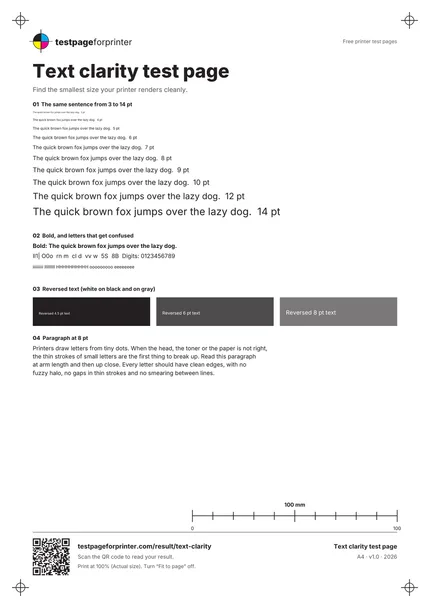
A free text clarity test page that shows the smallest text your printer can render cleanly, from 3 pt to 14 pt, in black, bold and reversed.
Opens the PDF. Use Print or Share from there.
Download PDFPrint one copy first. This PDF does not measure ink or toner use.
Free PDF. No sign-up. Ready to print.
In the print dialog, choose Actual size or 100% and turn off Fit to page.In the print screen, choose Actual size or 100% (not Fit).

What each part checks
One sentence at ten sizes
The same sentence at 3, 4, 5, 6, 7, 8, 9, 10, 12 and 14 pt. Find the smallest line you can read without squinting.
Bold and confusable characters
Bold text, digits and look-alike letters such as I, l, 1, O and 0, and rows of thin letters, to expose fuzzy strokes.
Reversed text
White text on black and on dark gray at three sizes. Reversed text is harder to print cleanly.
A paragraph at 8 pt
Four lines of everyday-sized text to judge how readable a real document is.
Footer and header text
The small text in the header and footer is another sample at about 7 pt.
Mostly white layout
The sheet leaves much of the paper white. Print one copy first; we have not measured ink or toner use.
How to read your print
- Smallest readable line.
- Note the smallest size you can read. That is your practical limit for fine print.
- Clean strokes.
- Letters should have sharp edges with no halo, no gaps in thin strokes and no smearing between lines.
- Reversed text.
- White text should keep its shape. If it fills in, the printer is spreading ink into the gaps.
- Confusable letters.
- You should be able to tell I, l and 1 apart and O from 0. If not, the print quality is too low for small text.
Keep the guide handy
The QR code on the printed sheet opens this page on your phone.
Print settings that matter
Print settings that matter
- Print at High quality onceStandard first, then High or Best. Compare which size becomes readable. Quality settings have the biggest effect on small text.
- Use plain paper, then your normal paperPlain paper shows ink spread more clearly. Then repeat on the paper you normally use.
- Print at actual size (100%)Choose Actual size or 100% and turn off Fit to page, or the sizes will not be true.
Related sheets

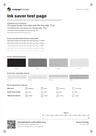
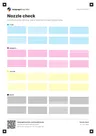
Read the full guide
What this text clarity test page is
This page prints the same sentence at ten sizes, bold text, look-alike characters, reversed text and an 8 pt paragraph. It works on inkjet, laser and monochrome printers.
When to use it
Use it when text looks fuzzy or pale, when small print on forms or labels is hard to read, when you compare print quality settings, or after you replace a cartridge. It is more focused on type than the black and white test page, which covers gray steps and solid black as well.
How to read it
Hold the page at normal reading distance. Find the smallest line you can read easily and note its size. Then look closely at the 8 pt paragraph. Letters should be sharp, thin strokes should be continuous and the white gaps in reversed text should stay open.
If the whole page prints smaller than expected, check print scaling and paper size settings before comparing the text sizes.
What bad looks like
Fuzzy edges can mean the quality setting is too low, the paper absorbs too much ink, or a laser printer is low on toner. Letters that look doubled can point to misalignment; see misaligned print. Pale text suggests faded print. If horizontal gaps cut through the text, run the nozzle check.
Good questions
What is the smallest text a printer can print?
Why is my printed text blurry?
Does paper type affect text sharpness?
What should I try first if text looks fuzzy?
Is 8 pt text a good test?
Also useful
- Fix faded print
- Fix misaligned print
- Clean the print head
- Inkjet printer test page
- Laser printer test page
- All PDF downloads
- Printer test images (PNG)
- Color test page
- CMYK test page
- Alignment & margins
- Blank page test
- Scale check sheet
- Photo test page
- Duplex front/back test
- Grayscale test page
- Borderless test page
- Printer ruler test page
- Grid test page
- Resolution test page
- Solid black test page