


How does your print look?

Compare your borderless test page with the options below. Pick the closest match and we will show the likely cause and what to try first.

Choose the closest match to your print

Your printer passed this check.

Share this result

Likely cause: borderless is off, or the paper size or type does not support it.

  1. 1.Turn on Borderless or Full bleed in the driver.
  2. 2.Choose a paper size and type that the printer lists as borderless-capable.
  3. 3.Check that the page is set to Actual size, not Fit to page.
Fix misaligned print

Share this result

Likely cause: the paper fed crooked or sits off center in the tray.

  1. 1.Remove the paper, fan it, and reload it with the guides snug against the stack.
  2. 2.Print again and compare the edges.
  3. 3.Use the grid test page to see whether lines also tilt.
Grid test page

Share this result

Likely cause: Fit to page, Shrink to fit or a wrong paper size is scaling the page.

  1. 1.Set scaling to Actual size or 100%.
  2. 2.Check that the paper size in the driver matches the paper in the tray.
  3. 3.Measure again with the scale check sheet.
Fix prints too small

Share this result

Pick the option that matches your print and the likely cause and next steps appear here.

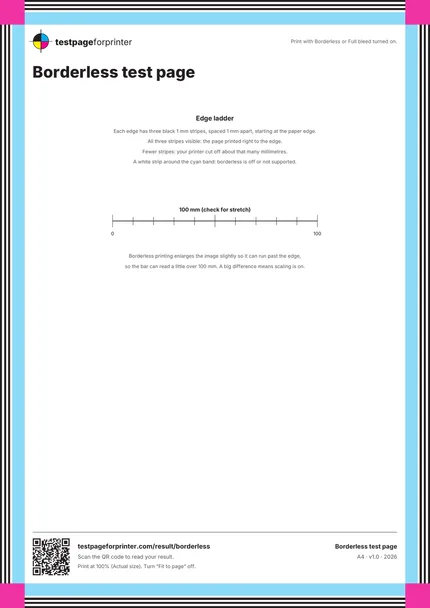
The Borderless test page
A4 / Letter
  1. 1.Edge ladder: three black 1 mm stripes on every edge
  2. 2.Cyan band just inside the ladder
  3. 3.Magenta corner squares
  4. 4.100 mm scale bar
  • Count the black stripes on each edge, then compare all four edges.
  • Hold the print over a dark surface so you can see the white margin clearly.
  • Use the same paper you plan to print on, since borderless support depends on the paper type.

Still not right?

Back to the borderless test page · All test pages